Add Sunday Values to Monday
Description
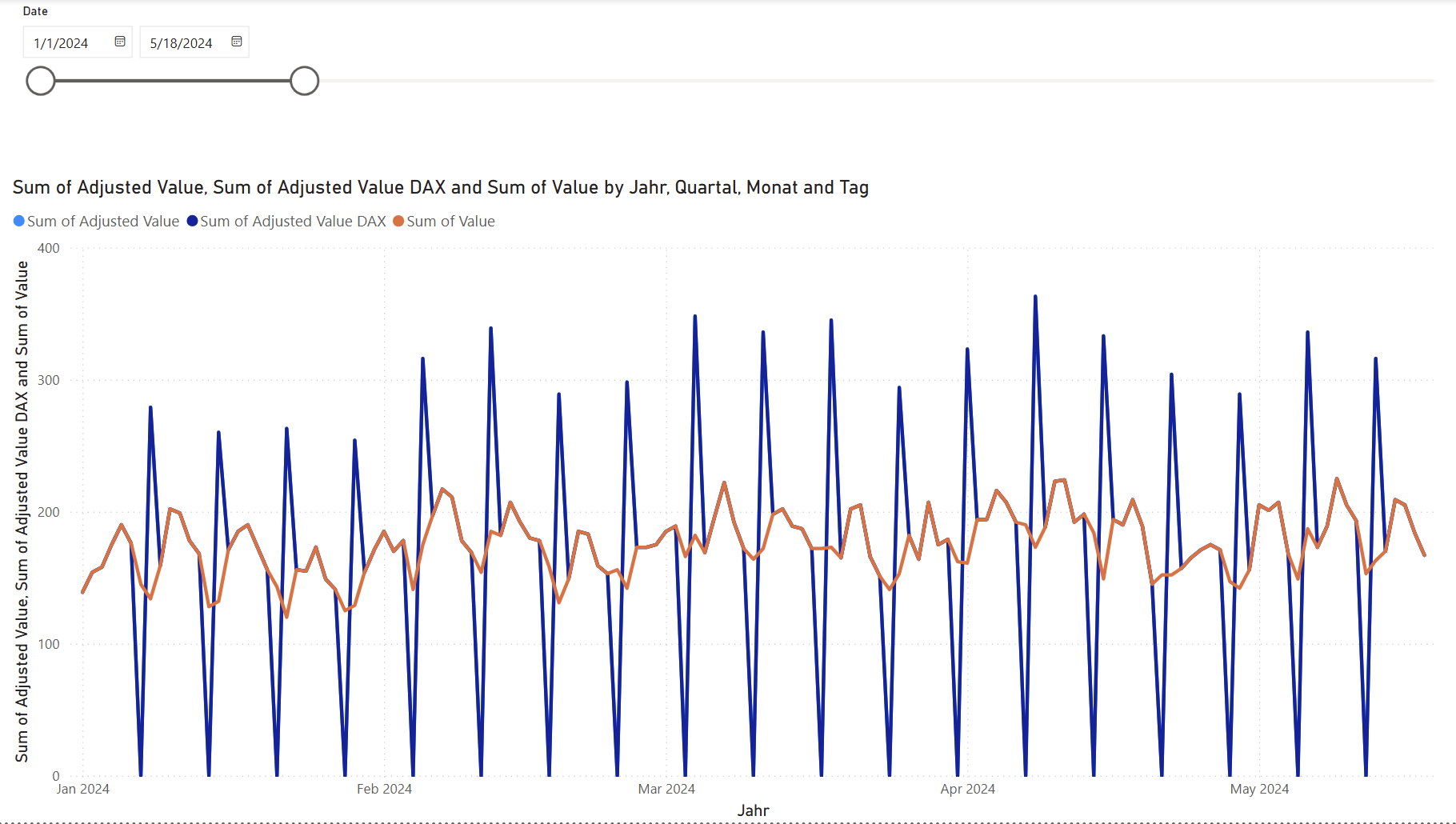
In this example, we have some values every day. We want to add the value of the previous Sunday to the value of Monday.
What’s the purpose of this?
Let’s say you have a report that shows the number of orders per day. When people order on the website on Sunday, they do not get processed until Monday. So, you want to always count Sunday orders as Monday orders.
Solution Approaches
Like most things in Power BI, this can be done in Power Query or DAX. In this case, Power Query is preferred because it is a data cleaning operation. I try to keep data cleaning and transformation operations in Power Query and use DAX only for calculating metrics and KPIs. However, for the sake of completeness, I will show both approaches.
In general, this kind of operation is difficult because it requires moving information from one row to another.
In Power Query, we use an index column to be able to look up the previous row’s value. In DAX, we instead use the date.
How to Use
- Download the Power BI file
- Open the file in Power BI Desktop
- Modify the solution to fit your specific data structure
or
- Copy and modify the Power Query or DAX code below to fit your data (in this case you only need one or the other)
DAX Code for Adjusted Value
Adjusted Value DAX =
VAR PrevDate    = Data[Date] - 1
VAR PrevSunday  =
    LOOKUPVALUE (
        Data[Value],
        Data[Date],     PrevDate,
        Data[Weekday],  "Sunday"
    )
RETURN
SWITCH (
    TRUE(),
    Data[Weekday] = "Sunday", 0,
    Data[Weekday] = "Monday", Data[Value] + COALESCE ( PrevSunday, 0 ),
    Data[Value]
)
Power Query M Code for Adjusted Value
let
    Source = SampleData,
    T2 = Table.AddColumn(Source, "Weekday", each Date.ToText([Date], "dddd"), type text),
    T3 = Table.AddIndexColumn(T2, "Idx", 0, 1, Int64.Type),
    Buf = Table.Buffer(T3),

    T4 = Table.AddColumn(
            Buf, "Adjusted Value",
            each let
                    i   = [Idx],
                    v   = [Value],
                    wd  = [Weekday],
                    pr  = if i > 0 then Buf{i-1} else null,
                    adj = if      wd = "Sunday"                                   then 0
                          else if wd = "Monday" and pr <> null and pr[Weekday] = "Sunday"
                               then v + pr[Value]
                               else v
                 in adj,
            Int64.Type
         ),

    Result = Table.RemoveColumns(T4, {"Idx"})
in
    Result
Power Query M Code for Generating Sample Data
let
    StartDate = #date(2024, 1, 1),
    EndDate   = #date(2025, 12, 31),

    Dates = List.Dates(StartDate, Duration.Days(EndDate - StartDate) + 1, #duration(1,0,0,0)),

    Base   = 150,
    AmpW   = 20,
    AmpM   = 15,
    AmpY   = 30,

    T0 = #table(type table [Date = date], List.Transform(Dates, each { _ })),

    T1 = Table.AddColumn(
            T0, "Value",
            each let
                    d   = [Date],
                    dow = Date.DayOfWeek(d, Day.Tuesday),           // 0‑6
                    dom = Date.Day(d) - 1,                         // 0‑30
                    doy = Date.DayOfYear(d) - 1,                   // 0‑364/365
                    w   = AmpW * Number.Sin( 2 * Number.PI * dow / 7 ),
                    m   = AmpM * Number.Sin( 2 * Number.PI * dom / 31 ),
                    y   = AmpY * Number.Sin( 2 * Number.PI * doy / 365 ),
                    j   = Number.RandomBetween(-20, 20),     // ±20
                    raw = Base + w + m + y + j
                 in Int64.From( Number.Round( raw, 0 ) ),
            Int64.Type
         )
in
    T1
Screenshots